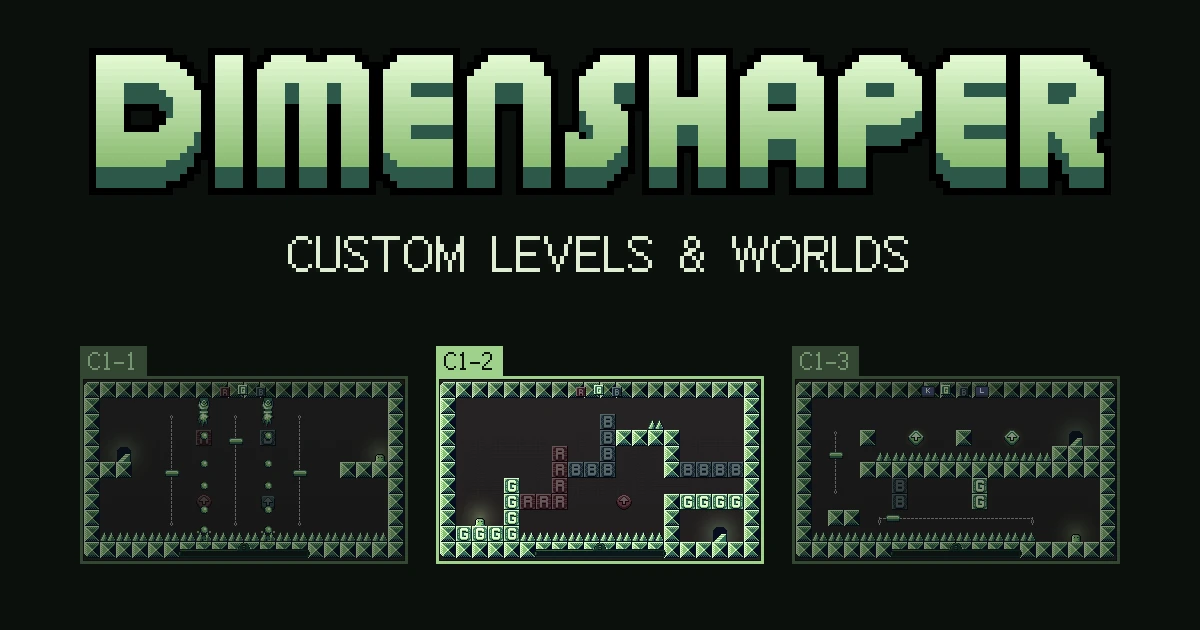
Next Fest ends today, and Dimenshaper 0.97 lets you build your own levels. The campaign now has a Custom entry after the standard worlds, filled with whatever you put in its folder. Some of you asked us for this, and it's our first step towards a level editor, something like Mario Maker.
How it works
A level is a small JSON file: a grid, a few settings, and a list of what's in it, such as walls, spikes, doors and moving platforms. You write it in any text editor.
To find the folder, open the campaign, go to Custom, select the Levels folder row and pick Open folder. The game puts a HOW_TO.md there that describes the whole format, plus three example levels to copy from. One of them uses moving platforms.
Save a file in that folder and the level shows up in the game.
Levels and worlds
- A file at the top of the folder is a single level. It plays on its own, and clearing it takes you back to the campaign.
- A subfolder is a world, with up to 20 levels played in file-name order. Each door leads to the next level, like in a standard world. You can have up to 10 worlds.
- A
world.jsoninside a world gives it a name, an author and a short description.
Every custom level is open from the start, and the campaign shows your best time on each one.
Speedrun them
Custom levels work in speedrun mode. When a run ends, the results screen shows the world's name and its author, so a screenshot of your time also says whose level you beat.
What you can build
Custom levels come in Chill, Normal and Expert. Boss fights, bats and skill sequence walls aren't available. As soon as more features are ready, we'll make them available here too.
Steam Deck and the browser
In the Steam Deck's Game Mode there's no file manager to open, so the game shows the folder's path instead: ~/.local/share/godot/app_userdata/Dimenshaper/custom_levels. Copy your files there from Desktop Mode.
Custom levels need a folder on your computer, so they're only in the Steam and desktop builds. The browser version in the Labs gets the rest of the update: speedrun results that fit long names, a smaller dimension style box, and a few menu fixes.
Share what you make
Post your levels in our Discord. To share a whole world, zip its folder: anyone who drops it into their own Custom folder can play it.